

Agent reasoning
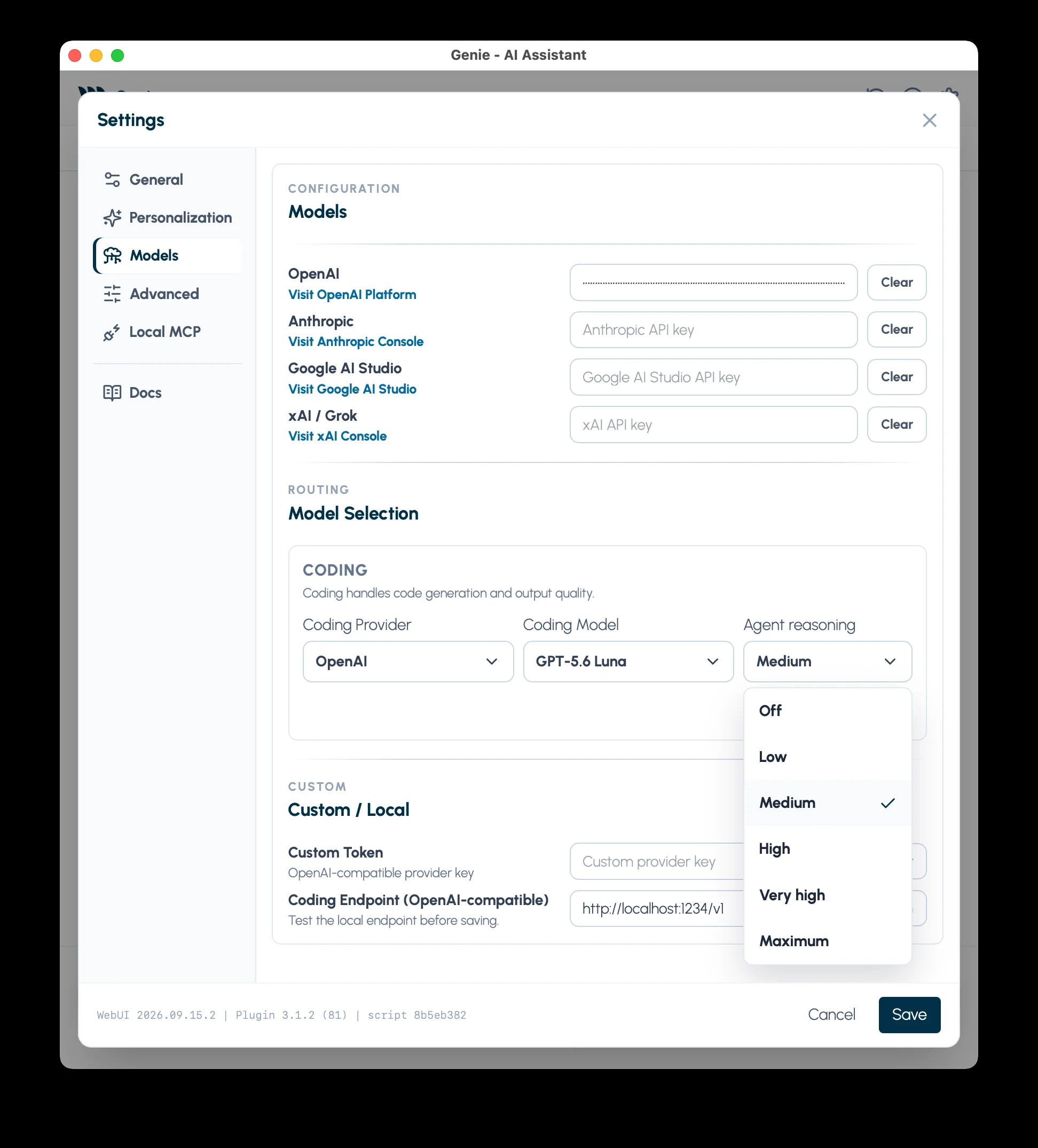
Agent reasoning controls how much reasoning the selected model uses in Genie. Configure it when you choose your model in Settings > Models.
Set reasoning effort
Section titled “Set reasoning effort”- Open Settings > Models in Genie.
- Choose the provider and model.
- Set Agent reasoning to a level available for that model.
- Read the explanation beneath the control, then Save.
Changing the provider or model from the composer does not change your saved reasoning preference. Check Settings when you switch to a model with different capabilities.
Low, Medium, or High?
Section titled “Low, Medium, or High?”Genie’s default preference is High. Use it as a starting point for script changes, debugging across several scripts, and Web Viewer work.
| Level | When to try it |
|---|---|
| Low | A short explanation or a straightforward question where response speed matters. |
| Medium | Routine work when you want a balance between response time and reasoning effort. |
| High | A task with several constraints, dependencies, or changes to review. |
These are starting points, not quality guarantees. More reasoning can take longer and use more provider tokens. It does not replace an exact script name, relevant context, or review of the result.
Why the options change
Section titled “Why the options change”Genie shows levels supported by the selected model. Some models offer Off, Minimal, Very high, or Maximum; others offer fewer levels.
If a saved level is unsupported, Genie uses a supported level and explains the difference below the control. It keeps your saved preference for models that support it.
- Model / server controlled means Genie cannot set a reasoning level for that selection.
- Not available means the model does not offer this control.
A disabled control is not necessarily a connection problem.
Claude Code and Codex
Section titled “Claude Code and Codex”Agent reasoning in Settings applies to Genie’s own Agent. When you choose Claude Code or Codex in the composer, the popover on the right of the footer under the composer has its own Effort slider, with the levels your installed program offers. Genie remembers your choice for each program. If the list looks old, update the program. Claude Code and Codex.
Custom / Local models
Section titled “Custom / Local models”For a compatible custom endpoint, enable This model server supports OpenAI-style effort (Low, Medium, High) only when that endpoint and model support the parameter.
This enables Low, Medium, and High for that endpoint/model pair. Without it, Genie leaves reasoning to the server. A successful Test Connection does not prove reasoning-effort support.
If a response is slow or too shallow
Section titled “If a response is slow or too shallow”- For slow responses, try a lower supported level and a smaller task.
- For an incomplete answer, check the target and context, then try a higher supported level.
- If the level changes after selecting a model, read the explanation under Agent reasoning.