

Review, Auto apply and Undo
By default, Genie asks first
Section titled “By default, Genie asks first”When you ask for a change, Genie shows it and waits for your confirmation. Nothing changes in your file until you confirm.
- Scripts: Create and Apply write the script in FileMaker after a native confirmation dialog. The script does not need to be open or selected. If it has unsaved edits in Script Workspace, Genie stops and asks you to save first.
- Layouts: Genie shows the layout change and waits for your confirmation.
- Data: a native confirmation shows the exact SQL and values before anything runs.
- Running an existing script: always asks for confirmation.
If your file changed after Genie prepared a change, the review is out of date. Ask Genie to prepare it again.
Some things never change your file: questions, inspecting scripts and layouts, and read-only queries and charts. Calculation Quick AI inserts editable expression text in the calculation editor. It never clicks OK or runs anything.
Copy stays available for scripts and layout objects if you prefer to paste by hand.
Auto apply
Section titled “Auto apply”Auto apply lets Genie apply changes without asking you to confirm each one. It is off by default. Turn it on in Settings. It requires a paid plan.
With Auto apply on, Genie applies these changes directly:
- scripts and script folders
- layouts
- schema and data
- table occurrences and relationships
Access, file and Privacy checks still apply. Running an existing script still asks for confirmation every time.
Auto apply also applies to external agents connected through Local MCP. Without it, their changes go to Workbench for your review. With it on, a change the agent explicitly asks to execute runs directly.
Auto apply also covers Claude Code and Codex when you use them in Genie (Claude Code and Codex). With it off, their proposed changes appear as cards with Apply, Review and Copy. With it on, they apply directly. Genie’s own Agent checks each change against what you asked before it writes it; Claude Code and Codex do not get that check, so keep Auto apply off if you want to review every change.
Requests with several parts
Section titled “Requests with several parts”Some requests need a change to exist before the next part can be built, for example a new table before the layout and scripts that use it. With Auto apply on, Genie makes the first change, checks that it was written, and then carries on with the rest of your request by itself. You will see a short “Continuing with the rest of your request” line in the chat each time.
It stops, and tells you why, if a change fails or cannot be verified, if you stop it or send a message of your own, or after six continuations. Every continued change is checked against what you originally asked for, so Genie does not add work you did not request. With Auto apply off, each change waits for your confirmation as usual.

See what Genie changed
Section titled “See what Genie changed”Open Workbench and choose Submitted. Every change made in Auto apply is listed there with a Auto apply badge and its real outcome. The list survives restarts. See Workbench.
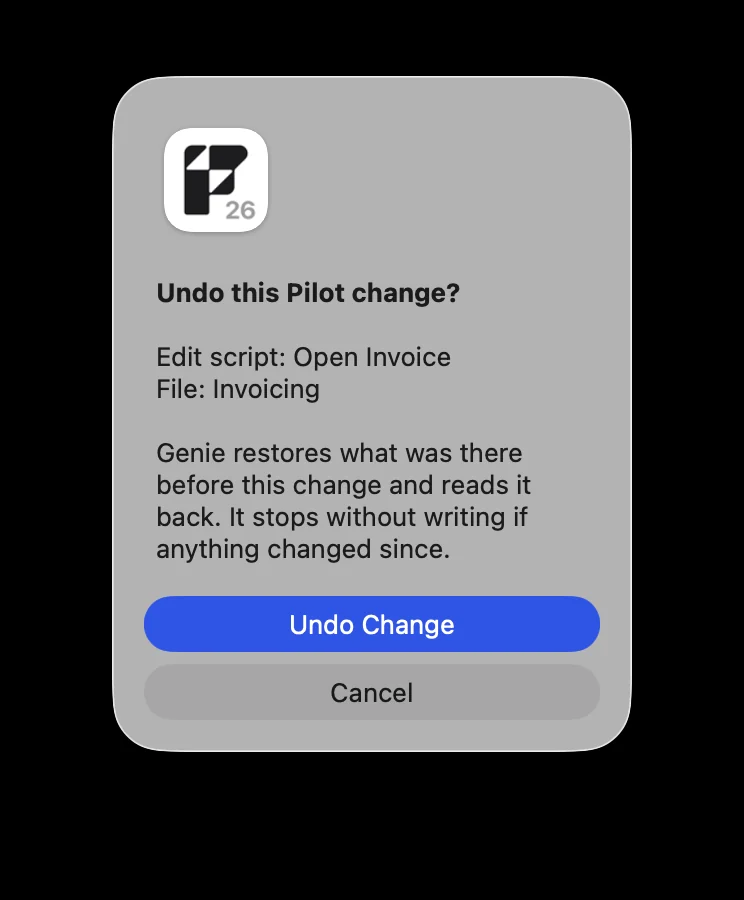
You can undo some Auto apply changes from Workbench. Auto apply must be on, you must be in the same file, and Genie asks for a native confirmation before undoing.
You can undo:
- edits to existing scripts
- relationship edits and graph arrangement
- stored Web Viewer content
You cannot undo:
- data changes
- anything newly created: scripts, table occurrences, relationships
For data changes and new structures, work on a copy of your file or keep a backup.
Free and Paid
Section titled “Free and Paid”Genie works on the Free plan without a licence key. Applying script, layout and data changes, Auto apply and Workbench actions require a paid plan. See Free and Paid.