

Chat with Genie
Genie has one chat for questions, scripts, calculations, data, layouts, and Web Viewers. Describe the result you want. Genie chooses the tools and steps, reads the relevant FileMaker context, and answers or prepares a result for review. Continue in the same conversation as the task develops.
The chat is free. Writing scripts, layouts, and data changes into your file requires a paid plan.
Where you chat
Section titled “Where you chat”- Script Workspace: Genie docks as a panel on the right. The Genie button in the Script Workspace toolbar shows or hides it. Develop in Script Workspace.
- Layout mode: a Genie tab sits in the left panel beside Fields, Objects and Add-ons.
- Full Genie window: the pop-out button in a docked panel opens the full window with the same conversation and unsent draft.
Each FileMaker launch starts a fresh conversation. Earlier conversations are in History.
What Genie can do
Section titled “What Genie can do”Free:
- Explain, inspect, debug, and review scripts, calculations, fields, tables, relationships, layouts, and FileMaker behavior.
- Read an exact current, named, or attached script when the request needs it.
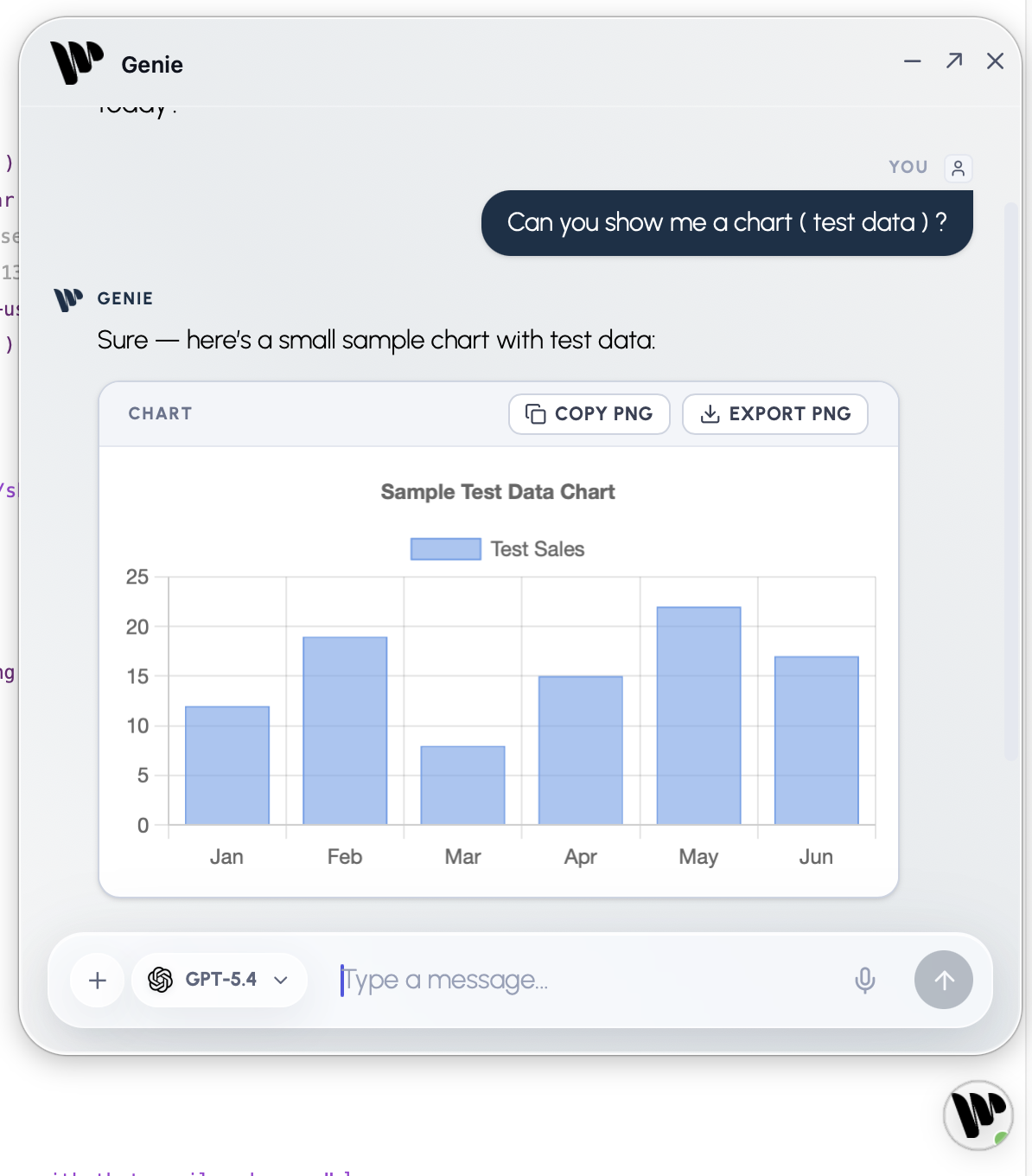
- Run read-only queries for summaries, tables, and charts.
- Run an existing script after you confirm.
- Give complete human-readable script steps and calculations to build by hand.
- Use the provider’s web search when the configured provider supports it.
With a paid plan:
- Preview, Copy, Create, and Apply scripts.
- Create layouts, add content to them, and edit selected objects.
- Change data and schema, add table occurrences, create and edit relationships, and arrange the relationship graph.
- Use Auto apply and Workbench actions.
Context is read when needed
Section titled “Context is read when needed”Genie reads an exact named script, relevant metadata, or an attachment when the task needs it. An open script is not automatically the target of every request. Name the script or refer clearly to the current one. Genie asks if the target is unclear.
In Script Workspace, the docked panel shows which script lines are selected. Use Refresh Selection when you want Genie to pick up a new selection. FileMaker context explains references and Privacy Mode.
Questions and investigation
Section titled “Questions and investigation”Questions stay read-only. Genie may inspect the file before it answers, but an explanation never turns into a hidden change. Continue in the same conversation when you want to move from understanding to implementation.
Good requests
Section titled “Good requests”- Explain what the current script does.
- Diagnose why a calculation returns
?. - Compare two scripts or fields.
- Plan a change before building it.
- Review a script for correctness, performance, or maintainability.
- Use current web information when Web Search is available and enabled.
How it works
Section titled “How it works”- Open Genie: the docked panel in Script Workspace or Layout mode, or the full Genie window.
- Refer to the current script or line, attach a file, or add known metadata when it helps.
- Ask the question in ordinary language.
- Genie reads only the context it needs and may ask one focused question back.
- Review the answer. A question never changes your FileMaker file.
Script work
Section titled “Script work”When creating a script, name any existing script you want to use as a reference. When editing, identify the exact script to change.
- On the free plan, Genie returns complete numbered FileMaker steps, options, and calculations to build by hand.
- With a paid plan, Genie shows a script card with Preview, Copy, Create, and Apply.
- Create and Apply write the script directly in FileMaker after a confirmation dialog. The script does not need to be open or selected.
- If the target script has unsaved edits in Script Workspace, Genie asks you to save first.
- Copy is still there if you prefer to paste by hand.
Read-only queries
Section titled “Read-only queries”Ask for a table, chart, summary, or raw result. Genie checks the exact table and field names before it runs a read-only query. Queries are free and cannot change records or schema.
Data changes
Section titled “Data changes”Data changes require a paid plan. Before anything runs, FileMaker shows a confirmation with the exact SQL and values. Typing “yes” in the chat does not confirm it.
Auto apply
Section titled “Auto apply”By default, Genie shows each change and waits for your confirmation. With Auto apply on in Settings, Genie applies supported changes without asking each time. Running an existing script still asks every time. Review, Auto apply and Undo.
Model and reasoning
Section titled “Model and reasoning”Choose the model in the composer. Set the reasoning effort in Settings; available levels depend on the model. Reasoning guide.
If Genie asks whether to explain, edit, or create a script, choose the intended action or answer in your own words.
Web Viewers
Section titled “Web Viewers”Genie can prepare a web interface and the FileMaker scripts it needs. Review the preview, installation method, and helper scripts separately. Build a Web Viewer.