

Calculation Quick AI
Calculation Quick AI drafts a FileMaker calculation expression in the editor you already have open. It works in the Data Viewer, the Specify Calculation dialog and the Custom Function editor. It is included in the Free plan.
It inserts editable expression text. It never clicks OK and never runs anything. It does not create scripts or change your schema. You review the text and confirm in FileMaker.
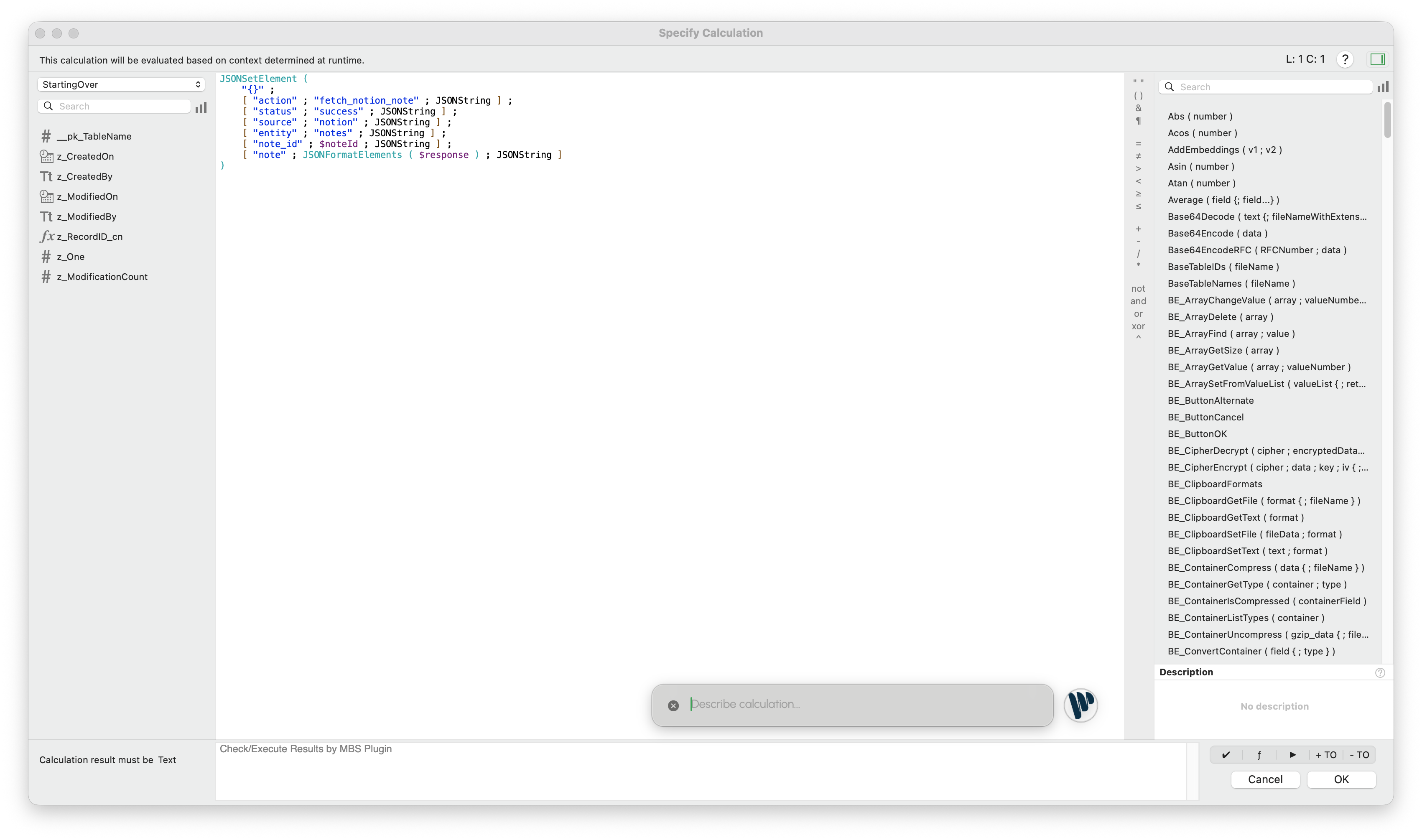
When to use it
Section titled “When to use it”Use Calculation Quick AI when you are already in a calculation editor and want help with:
- a field calculation
- an auto-enter calculation
- a validation calculation
- a conditional expression
- a
Letexpression - a date, text, number, JSON or relationship-aware formula
Use the Genie chat instead when you need planning, schema work, scripting, data changes or a broader explanation before you write the calculation.
What Genie uses
Section titled “What Genie uses”Calculation Quick AI sends a small, focused context instead of a full chat conversation: the current calculation text, and the fields and custom functions that match your request. This keeps the result to a calculation, not a script or a plan.
Safety
Section titled “Safety”- It only drafts calculation text. It rejects output that looks like a script.
- It checks the fields and functions it references against your file when it can.
- If the editor changed while Genie was working, it does not insert the draft.
- You review and confirm the calculation in FileMaker.
Genie may add warnings or assumptions when the request is ambiguous or some metadata is missing.
How it differs from scripts in Genie
Section titled “How it differs from scripts in Genie”| Area | Calculation Quick AI | Scripts in the Genie chat |
|---|---|---|
| Target | One calculation expression | A FileMaker script |
| Where | Data Viewer, Specify Calculation and Custom Function editors | Genie chat |
| Result | Editable calculation text inserted in the editor | Script steps to build by hand, or a script Genie creates or applies after your confirmation |
| Plan | Free | Steps are free. Preview, Copy, Create and Apply require a paid plan. |
Good prompts
Section titled “Good prompts”Return the customer's full name, trimming extra spaces.Use Let to calculate the invoice age in days, but return blank when PaidDate is set.Build a JSON object with customer id, email, and active status.Flag records where the due date is past and status is not Closed.
Name fields exactly when you know them. If you are unsure, describe the intent and check the fields in the draft before you accept it.