

Klai and BetterForms
Genie helps you set up Klai (BetterForms) apps in your FileMaker file. The Klai integration requires a paid plan.
Turn on the integration
Section titled “Turn on the integration”Turn on Settings > Advanced > Enable Klai Integration. It works whether or not Local MCP is running. Klai tools update as soon as you save the setting.
With the setting on:
- Script Workspace shows a Klai action with Set Up Klai App and Add HookSet.
- Manage Custom Functions shows a Klai icon beside Import.
- Genie and connected MCP clients can read the Klai / BetterForms guides.
Klai HookSets and custom functions
Section titled “Klai HookSets and custom functions”Genie creates Klai HookSets directly in your file: the scripts, their folders and the separators, in the right order. The custom functions are still installed by copy and paste. Turning on the integration does not change your file by itself.
- Open File > Manage > Custom Functions and click the Klai icon beside Import. Genie copies the Klai custom functions. Paste them in FileMaker and choose OK.
- In Script Workspace, click the Klai button and choose Set Up Klai App or Add HookSet.
- For Set Up Klai App, enter the Shared name and the HookSet name. For Add HookSet, enter the HookSet name. Names must start with a letter, use only letters, numbers,
_or-, and have 48 characters or fewer. The two names cannot be the same, ignoring case.
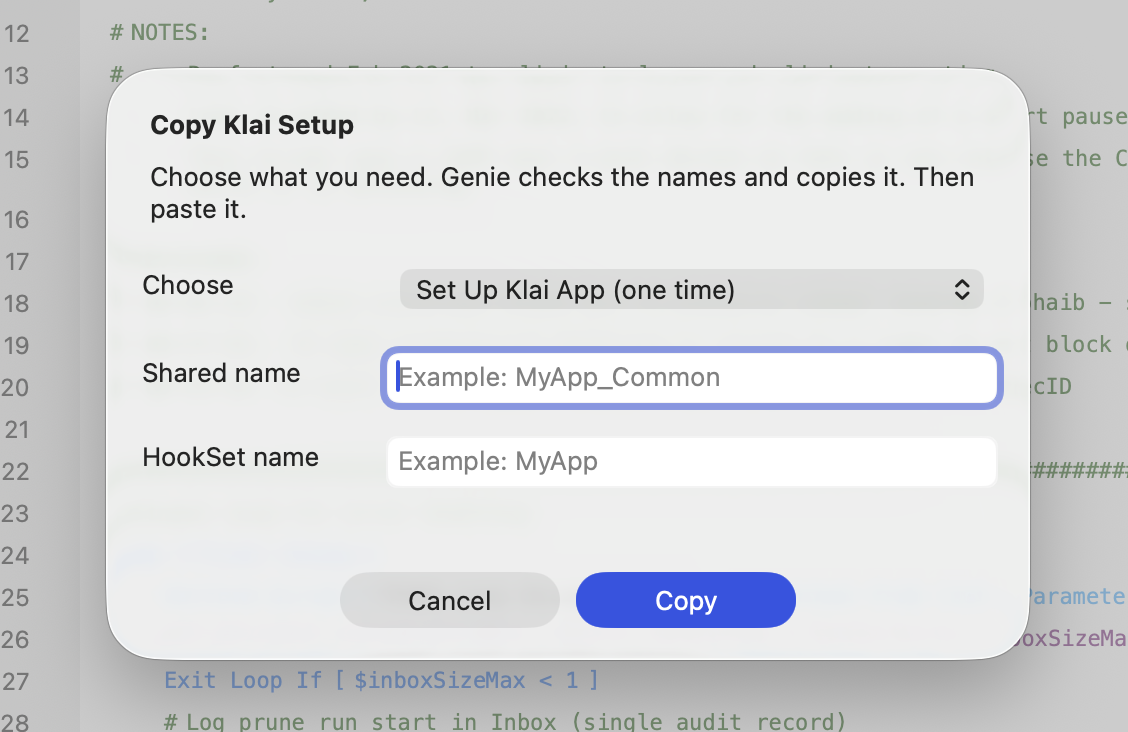
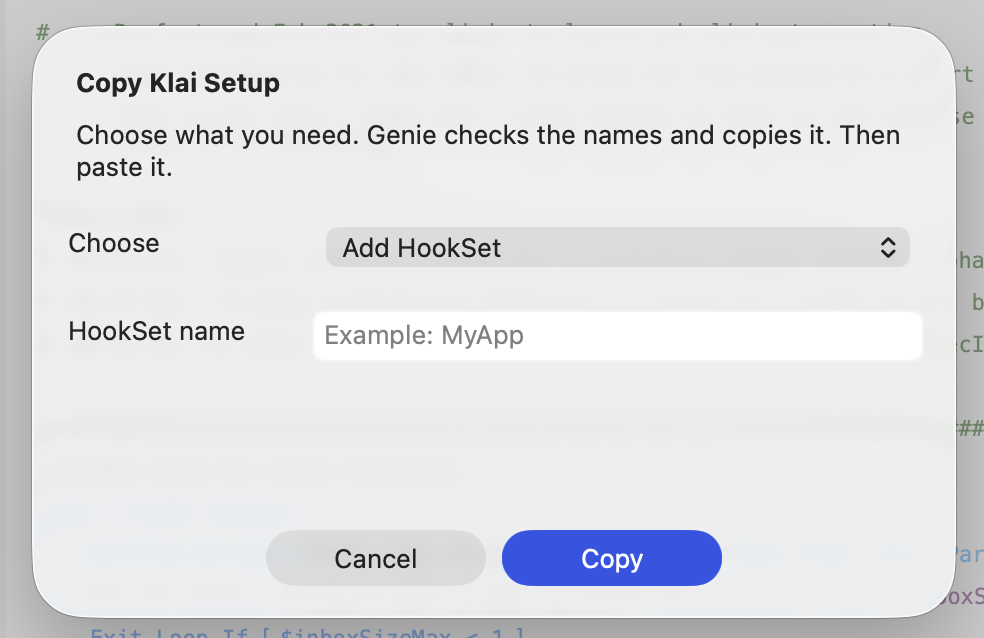
- Choose Create. Genie adds the scripts and their folders at the end of the Scripts list and checks the result. If a name already exists in the file, Genie tells you and creates nothing. Set Up Klai App needs the Klai custom functions from step 1 and tells you which ones are missing.
- To paste the HookSet yourself instead, choose Copy, then paste in Script Workspace.
Create needs FileMaker Pro 19, 20, 21, 22 or 26 on a Mac, a file opened with [Full Access], and Privacy Mode off. Existing scripts are never overwritten or removed.
Klai guides for agents
Section titled “Klai guides for agents”The guides add knowledge and no Klai-specific MCP tool. With Auto apply on, an agent can create a HookSet from the same template the Klai button uses, in its folder, instead of writing loose scripts. With Auto apply off, the agent shows what would be created and you use the Klai button.
Agents find the guides with fm_search, or read them directly:
genie://guides/klai-filemaker-business-hooksgenie://guides/klai-hook-execution-contractgenie://guides/klai-helper-inbox-diagnosticsgenie://guides/klai-hook-async-data-cache-diagnosticsgenie://guides/klai-hook-request-templategenie://guides/klai-resource-map
Reconnect MCP clients after you change the setting so they refresh their guide list. See MCP tool reference.